.svg)



Key Points
Containers are everywhere now - running as services on AWS ECS or Google Cloud Run, inside Kubernetes clusters, on-prem as VMs, even powering serverless platforms like AWS Lambda. They've become the default way to package and ship software.
Each of these environments looks different, but they share the same challenge: keeping container images free from vulnerabilities. The question many teams face is whether to scan images in the registry or where the container is actually running - and the answer shapes both your security posture and how efficiently you use your resources.
The dilemma: runtime vs. registry scanning
In environments like Kubernetes, it is technically possible to deploy a scanner agent inside the cluster to analyse images at runtime. But this approach has significant limitations when you look at the bigger picture:
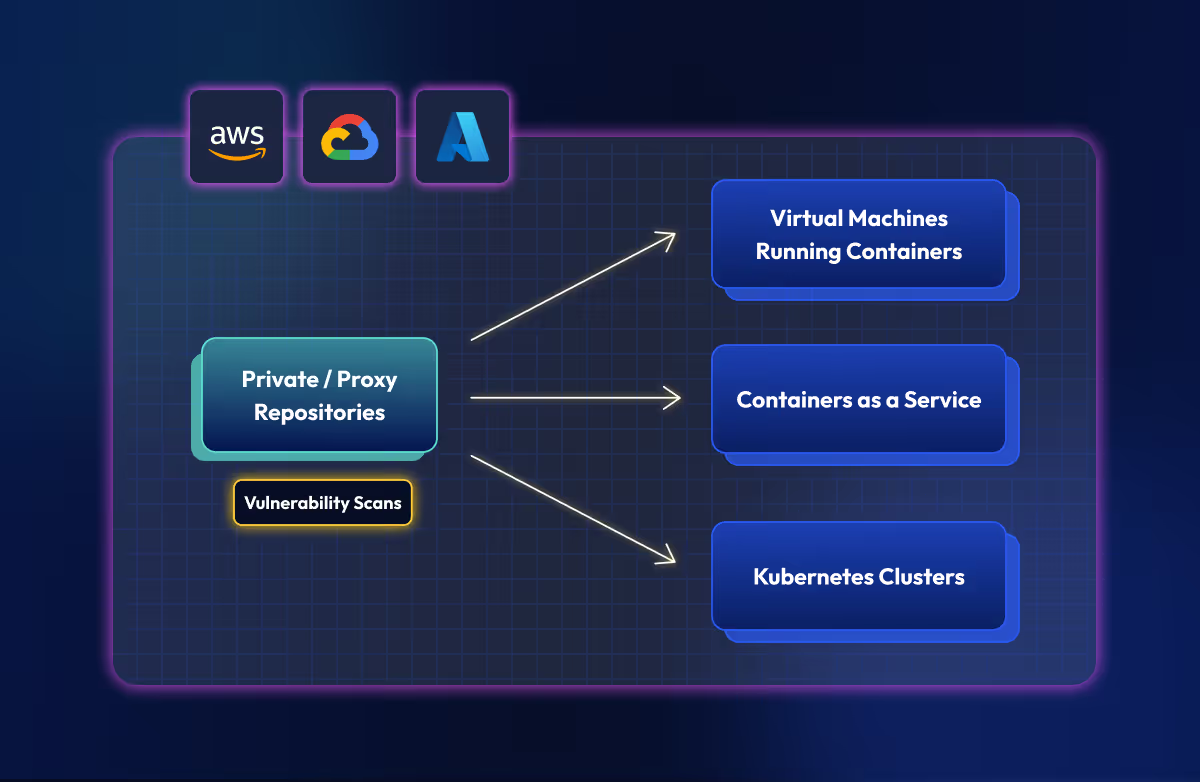
- Incomplete coverage: Kubernetes isn't the only place your containers run. Platforms like AWS ECS or Google Cloud Run don't allow you to deploy internal agents in the same way.
- Operational complexity: If you have multiple clusters (and most teams do), you need to deploy and maintain an agent in every single one of them.
- Resource inefficiency: The same image might be running in different namespaces or clusters. Scanning it repeatedly on every node is a waste of computation and time.
The security risks of in-cluster scanners
Ironically, attempting to secure your containers with internal agents can introduce new risks.
For a scanner inside Kubernetes to function, it requires elevated privileges. Crucially, it needs access to your ImagePullSecrets to authenticate with the registry and fetch image metadata for analysis.
This represents a significant security risk: if the scanner is compromised, your registry credentials are exposed. The goal should be to reduce the attack surface, not expand it by handing out master keys to tools across your infrastructure.
The problem of multi-cloud blindness
Almost every cloud platform offers some kind of dashboard to visualize vulnerabilities. But if you’re using multiple providers or accounts - and most companies are - problems stack up quickly.
Fragmentation means you end up juggling disconnected dashboards with no way to see your organization's security posture at a glance. And inconsistency makes it worse - alert formats, naming conventions, and severity levels all vary between AWS, Azure, and Google Cloud, so comparing risk across environments becomes guesswork.
Benefits of centralized container image scanning
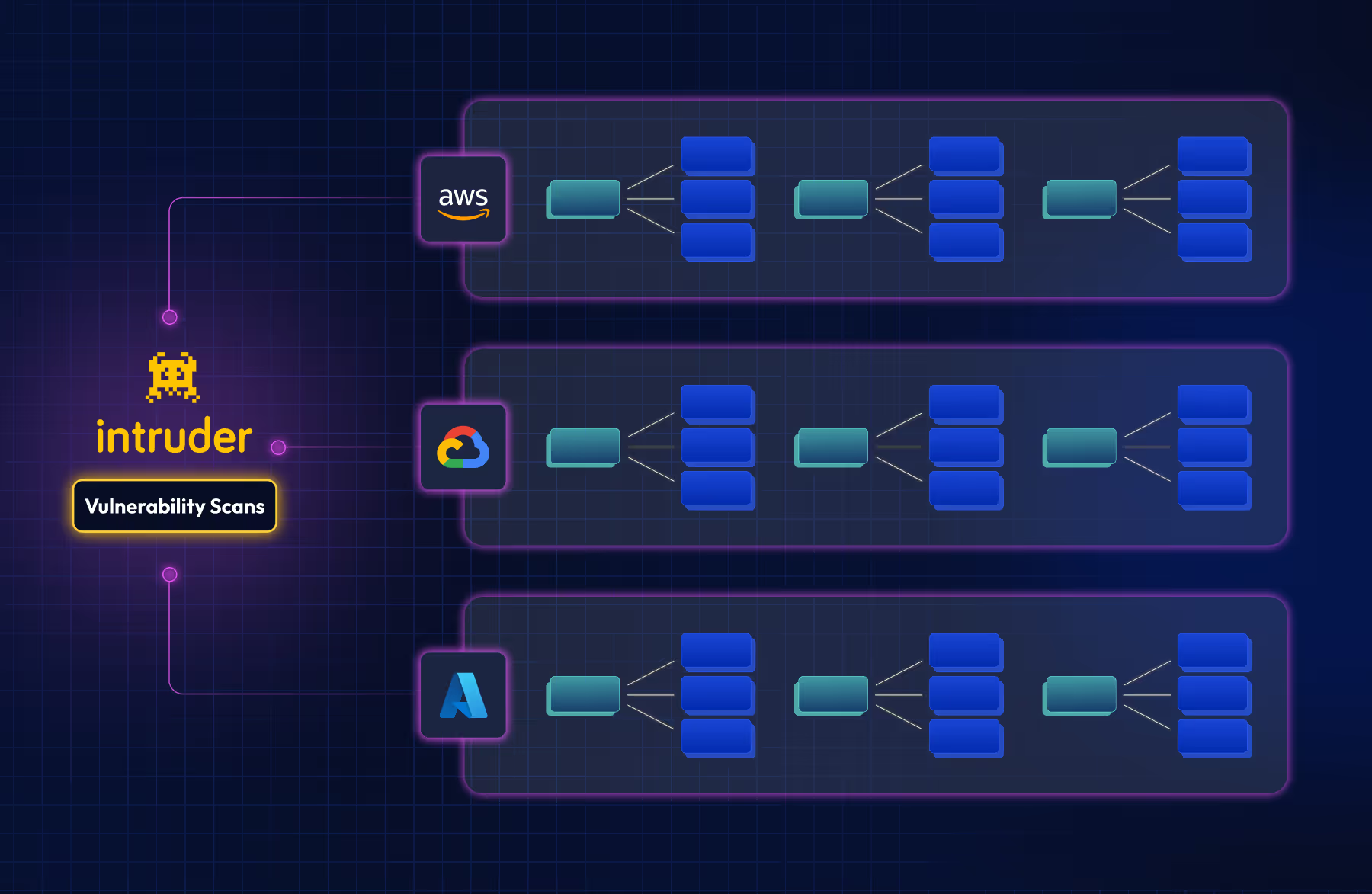
The common thread across these challenges is visibility. Centralizing your registry strategy and connecting it to an external exposure management platform gives you one place to manage risk, regardless of where your containers run. In practice, this means:
- Continuous scanning: Scanners run regularly, not just on push events. This is vital for detecting new vulnerabilities in images that have been deployed for months.
- Unified reporting: A standardized format for reports, dashboards, and notifications.
- Resource and time savings: No more maintaining scanning agents in every cluster or wasting resources re-scanning the same image multiple times.
Democratizing security: Teams across the organization can view and evaluate risk without needing direct access to production infrastructure.
How to centralize container scanning
To implement a centralized container scanning approach, we recommend the following steps:
- Implement a secure registry strategy: Use private registries and proxies as your first line of defense. We covered this in detail in our previous post: Building a secure container registry strategy
- Enforce strict rules: Ensure that all environments can only pull images from these controlled registries.
- Use a centralized platform: Connect your registries to a platform like Intruder to manage vulnerabilities across your entire environment in a unified way.
Get this right and you simplify operations while gaining full visibility over your risks, no matter where your code is running. Start doing this today with Intruder - start a trial or book some time with our team.

Vulnerabulletin