.svg)




Key Points
When the conversations and context around vulnerabilities are spread across Slack, Jira, and spreadsheets, fixes take longer - and critical issues stay open longer than they should.
With in-platform commenting on issues and occurrences, Security, DevOps, and IT teams can now work together in one shared workspace, helping reduce friction and speed up remediation by keeping all the context in one place.
Here’s what’s new:
Capture context where it belongs
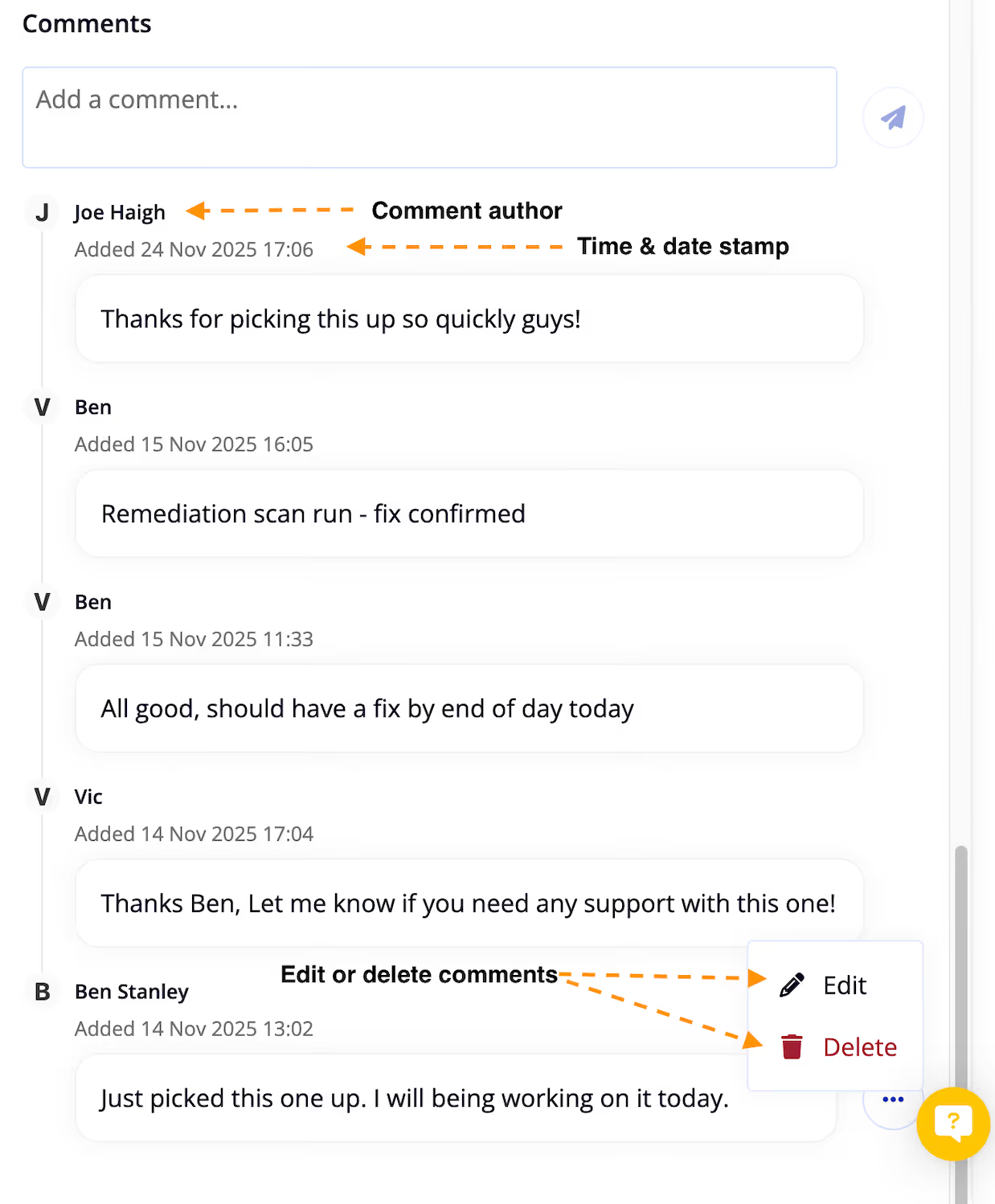
Add comments directly to individual issues or occurrences, so reasoning, decisions, and updates stay attached to the work - not scattered across tools.
Improve visibility and accountability
A new activity feed makes it easy to see what’s been discussed, what’s changed, and who’s taken action, creating a clear audit trail of remediation progress.
Start using comments today
To help teams get up and running quickly, we’ve put together a short video demo showing where to find comments and how to use them in practice.
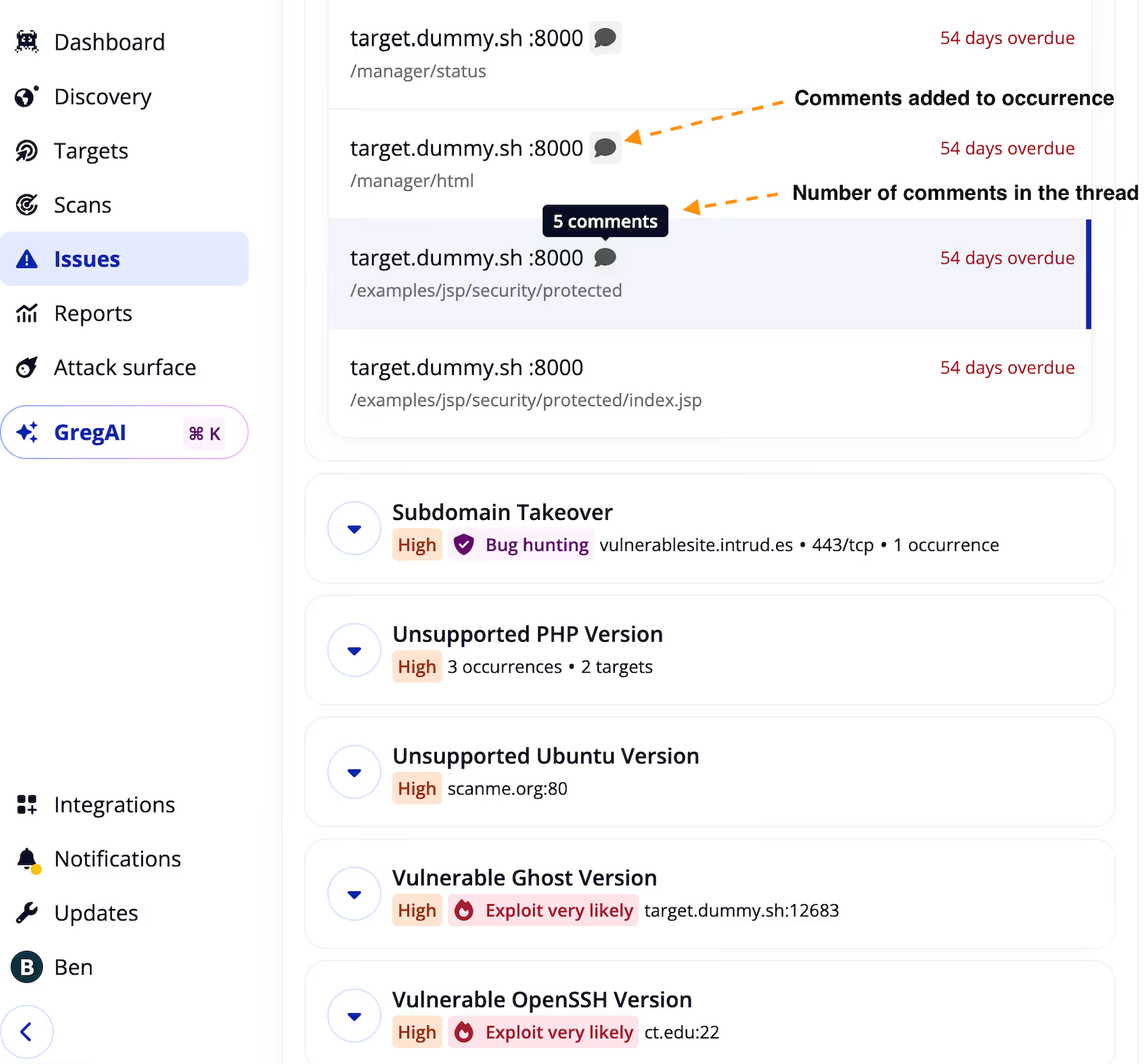
Click on any occurrence and scroll down to the bottom, here you will be able to view existing comments and add your own.
Each occurrence with a comment will have a speech bubble icon beside it.
Hover over the speech bubble to see how many comments have been added to any occurrence.
Not yet an Intruder customer? Start a free trial to give comments a test drive and experience how our exposure management platform is streamlining security for stretched security, DevOps and IT teams.

Vulnerabulletin



.avif)