.svg)


Key Points
Cloud security issues often start with a single setting: an access policy that’s too broad, or logging that was never switched on. Intruder’s Cloud Security Index found weak access controls in almost 9 in 10 cloud accounts across AWS, Azure, and Google Cloud.
CSPM tools check your cloud configuration continuously, so you catch issues as they appear. We compare eight of the best options and help you choose what's right for your team.
What is a CSPM tool?
A CSPM (Cloud Security Posture Management) tool connects to your cloud accounts and continuously checks how they’re configured. It flags misconfigurations and compliance gaps, like publicly accessible storage, overly permissive access controls, or missing encryption, and tells you what to fix and where.
Cloud providers work on a shared responsibility model. They secure the underlying platform, and you’re responsible for how everything you build on it is set up: who has access, what’s exposed to the internet, and how your data is stored. A CSPM tool covers your side of that arrangement.
CSPM is often sold as part of a wider cloud security platform, usually called a CNAPP (Cloud-Native Application Protection Platform), which also covers workloads, identities, and runtime threats. AWS, Microsoft, and Google also offer their own native CSPM, built mainly for their own cloud. All eight tools cover AWS, Azure, and Google Cloud, and most map findings to compliance frameworks like CIS benchmarks, SOC 2, and ISO 27001. Many also go well beyond CSPM.
What separates them is how well they prioritize what they find and what they cover beyond your cloud configuration.
The 8 best CSPM tools in 2027
1. Intruder
Intruder is an exposure management platform that brings cloud security, vulnerability management, attack surface management, and AI pentesting together in one place. Its CSPM connects to your cloud accounts without agents and runs more than 700 configuration checks every day. Findings appear alongside your external vulnerabilities and exposed services, so you see cloud risk in the context of everything else an attacker could reach. Intruder also produces audit-ready reports for frameworks like SOC 2, ISO 27001, and HIPAA, and sends compliance evidence to platforms like Drata and Vanta.
.png)
Strengths
- Findings you can act on: issues are ranked by how likely they are to be exploited, not just by CVSS score, so your team works on what an attacker could actually use first.
- Fixes your team can make without a cloud specialist: every issue is explained in plain English, with step-by-step remediation guidance anyone on the team can follow.
- Quick to set up and fits your workflow: agentless, read-only connections let you start your first scan in minutes, new assets are picked up automatically as your accounts change, and findings go straight to Jira, Slack, Teams, or ServiceNow.
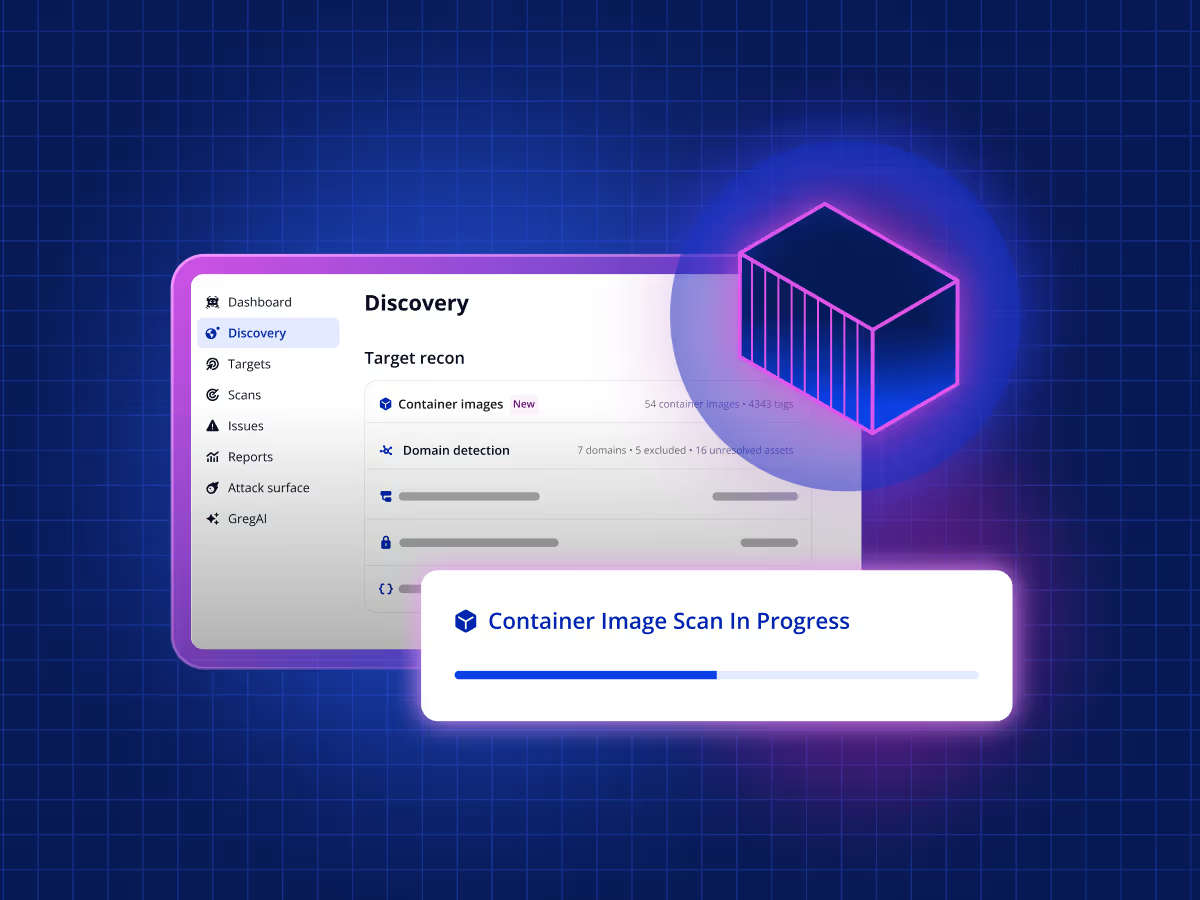
- One view of cloud and external risk: cloud misconfigurations sit alongside external vulnerabilities, exposed services, web app issues, and container image vulnerabilities, so there’s no switching between consoles.
Limitations
- Registry-level, not runtime: Intruder scans container images in your registries rather than inside running clusters, so teams that need runtime threat detection or workload protection will need a CNAPP alongside it. Here’s why we scan at the registry.
Best for
Lean teams that want cloud posture and the rest of their attack surface in one place.
Pricing
Free plan available. Paid plans start at $239 per month.
2. Wiz
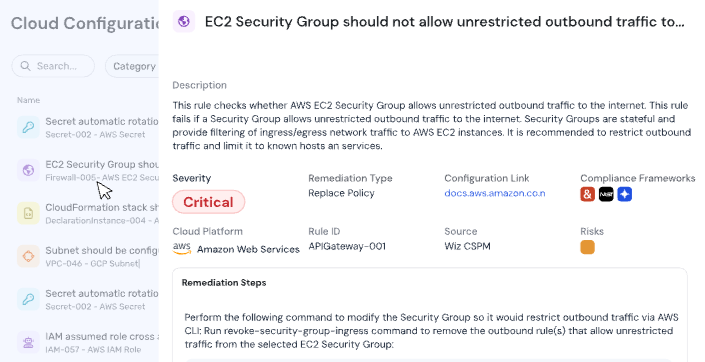
Wiz maps your cloud into a single security graph that connects code, cloud, and runtime. Its CSPM connects through your cloud providers’ APIs without agents, builds an inventory of your environment, and checks it against more than 2,800 configuration rules. It then uses the graph to highlight the misconfigurations that create real attack paths.
Strengths
- Prioritization based on attack paths: misconfigurations are correlated with public exposure, identities, vulnerabilities, data, and lateral movement, so teams can focus on the issues that combine into a real route in.
- Broad rule coverage: more than 2,800 configuration rules, including Kubernetes posture checks.
- Code to runtime in one platform: IaC scanning for Terraform, CloudFormation, and ARM catches misconfigurations before they deploy, and runtime protection is available through Wiz Defend.
Limitations
- Steep learning curve: the learning curve and platform complexity are the most common complaints in Wiz’s G2 reviews, with reviewers saying it takes time and training to work through the volume of features and data.
Best for
Larger organizations with dedicated cloud security teams and the budget for a full code-to-cloud security platform.
Pricing
Quote-based, with no public pricing. Sold as bundles or individual modules.
3. Orca Security
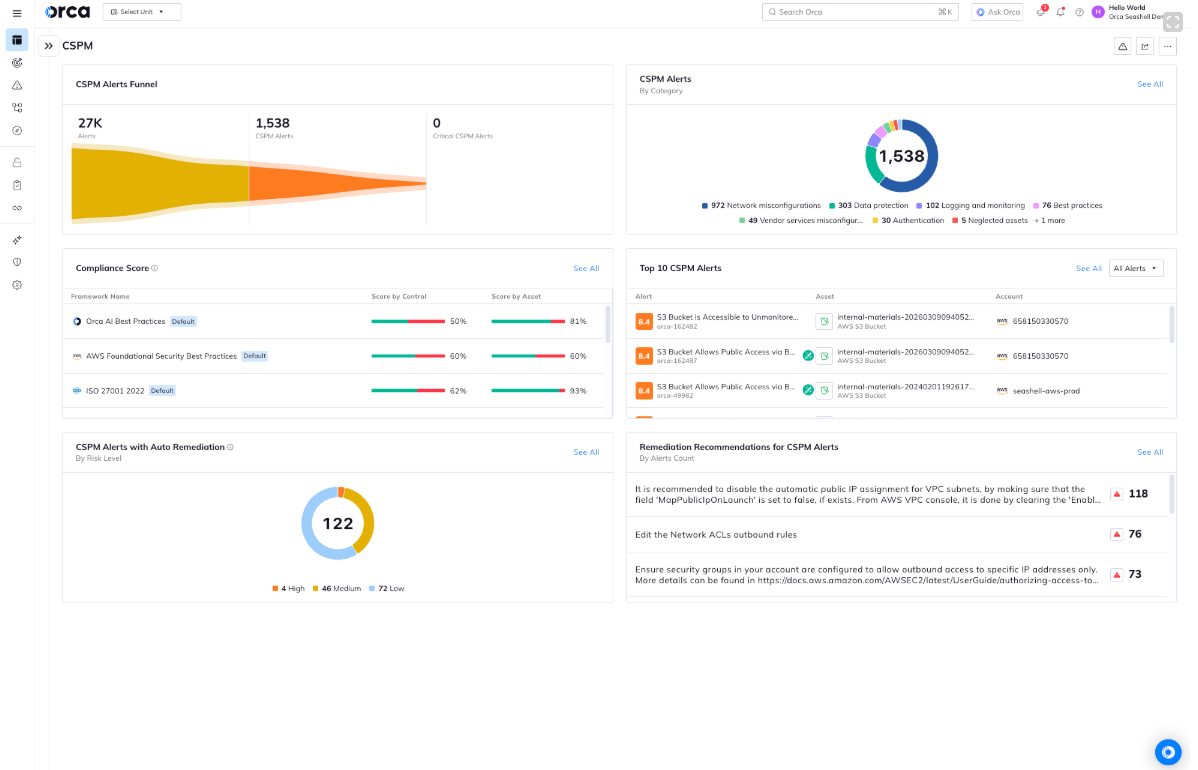
Orca Security looks inside your cloud workloads, not just at how they’re configured. Its agentless SideScanning lets Orca connect a misconfiguration to the vulnerabilities, identities, and data around it, with CSPM sitting alongside workload, identity, container, and sensitive data security in one platform.
Strengths
- Attack path prioritization: Orca scores attack paths and shows which risks to fix to break each one, ranking fixes higher when they break multiple paths at once.
- Broad configuration coverage: more than 2,500 configuration controls across categories including authentication, data protection, logging, networking, and Kubernetes.
- Automated remediation: automation rules can fix issues as soon as they’re detected, without anyone needing to step in.
Limitations
- Built for consolidation: Orca is designed to replace several cloud security tools with one CNAPP, so it’s best suited to teams consolidating rather than those adding CSPM on its own.
Best for
Teams that want agentless CSPM with workload-level context, as part of a consolidated cloud security platform.
Pricing
Quote-based, with no public pricing. Orca’s site also links to a free trial through AWS Marketplace.
4. Palo Alto Networks Cortex Cloud
Cortex Cloud, the successor to Prisma Cloud, uses AI to turn related misconfigurations and network exposures into a smaller set of prioritized risks. It’s Palo Alto Networks’ cloud security platform, bringing posture management, application security, and runtime security together, with links into the SOC. Its CSPM connects to your clouds without agents.

Strengths
- Fewer, grouped alerts: AI-driven correlation consolidates thousands of alerts into prioritized risks.
- Remediation at scale: AI-based recommendations and built-in playbooks can resolve multiple issues in one action.
Limitations
- Best value inside the Palo Alto ecosystem: Cortex Cloud is built around Palo Alto Networks’ platform approach, so teams that use other vendors for network security or SecOps may not get its full benefit.
Best for
Organizations that want cloud posture, runtime security, and SOC workflows on one platform.
Pricing
Quote-based, with no public pricing.
5. CrowdStrike Falcon Cloud Security
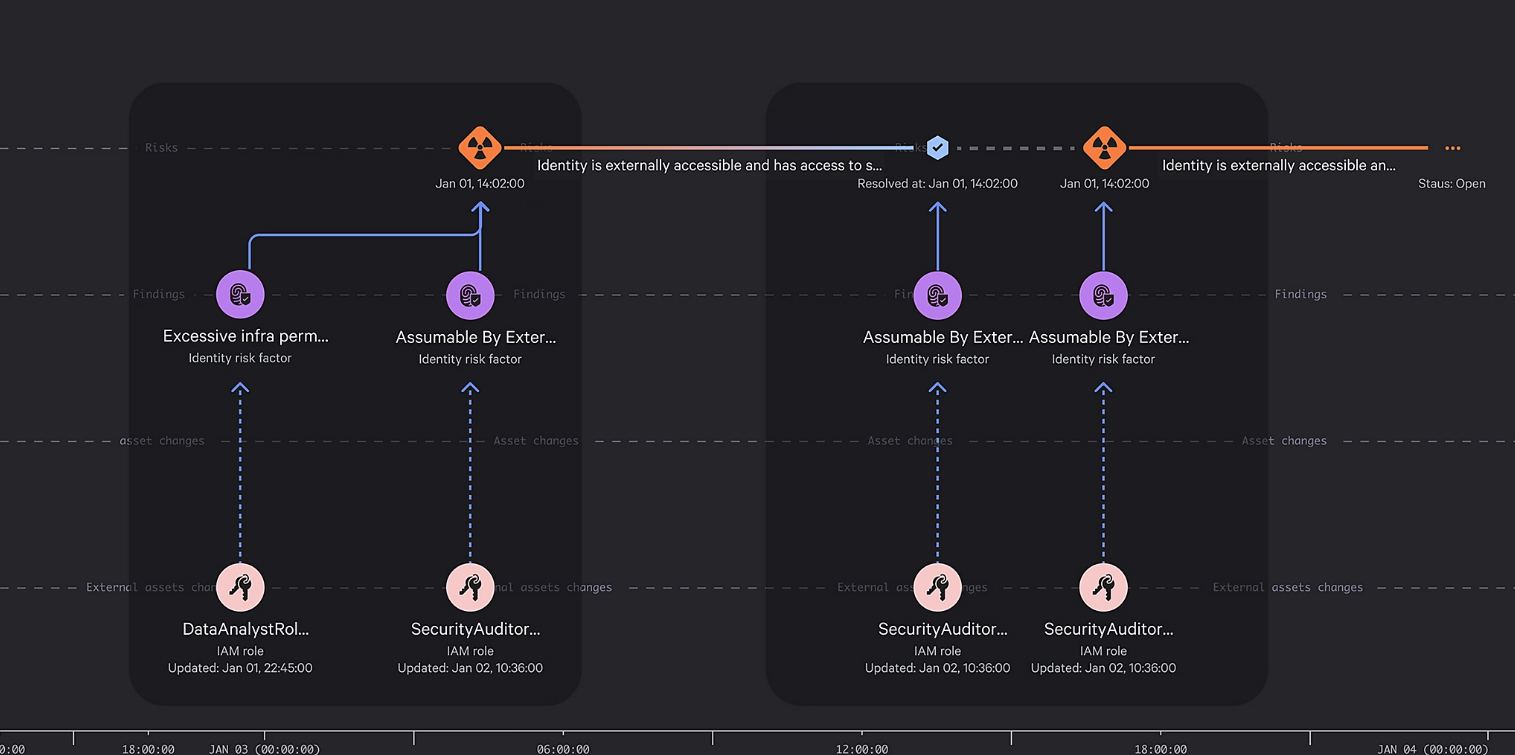
CrowdStrike brings its threat intelligence to cloud posture. Falcon Cloud Security enriches posture findings with adversary intelligence and graph-based context, so teams can prioritize the exposures that are actually exploitable. It pairs agentless posture management with the CrowdStrike Falcon sensor for runtime protection.
Strengths
- Prioritization informed by adversary intelligence: detections are mapped to known adversaries and their tactics, drawing on threat intelligence that tracks more than 280 global adversaries.
- CSPM without the full platform: the Proactive Security package covers cloud posture separately from runtime protection, so you don’t have to buy a full CNAPP to get it.
- Posture and threat detection in one platform: real-time cloud detection and response (CDR) is available alongside posture management, and correlates with endpoint and identity signals so SOC teams can spot attacks across domains.
Limitations
- Runtime protection needs an agent: posture management is agentless, but workload runtime protection relies on deploying the Falcon sensor.
Best for
Organizations already using CrowdStrike Falcon that want cloud posture and threat detection in the same platform.
Pricing
Quote-based, with no public pricing. Packages range from posture-only to full CNAPP, and there’s a free trial.
6. SentinelOne Singularity Cloud
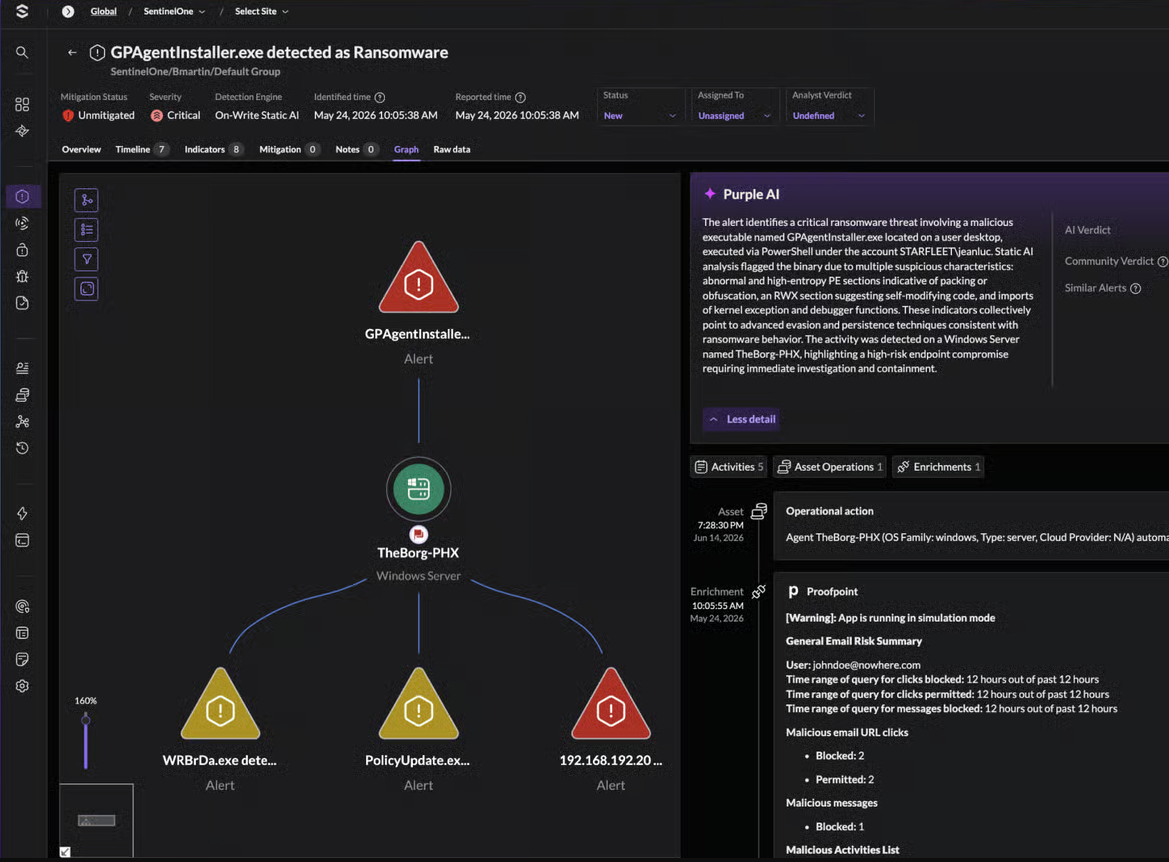
SentinelOne’s Singularity Cloud focuses on proving which cloud exposures are actually exploitable. Its CSPM sits within Singularity Cloud Native Security, an agentless platform that combines CSPM with identity, data, and code scanning.
Strengths
- Verified exploitability: the Offensive Security Engine mimics an outside attacker to confirm which exposures are truly exploitable, then maps how they connect to sensitive data.
- Catches issues before deployment: repositories, IaC templates, and container images are scanned for misconfigurations, vulnerabilities, and more than 850 types of secrets, and a Kubernetes admission controller can block vulnerable deployments.
- Automated remediation: pre-built or custom Hyperautomation workflows respond to misconfigurations, and findings can be routed with their evidence into issue tracking systems.
Limitations
- Strongest alongside SentinelOne’s wider platform: cloud findings can be correlated with endpoint and identity signals, but that relies on also using SentinelOne for those areas, so teams that don’t get less of that benefit.
Best for
Teams that want CSPM focused on proven, exploitable risk rather than long lists of findings.
Pricing
Quote-based, with no public pricing.
7. Sysdig Secure
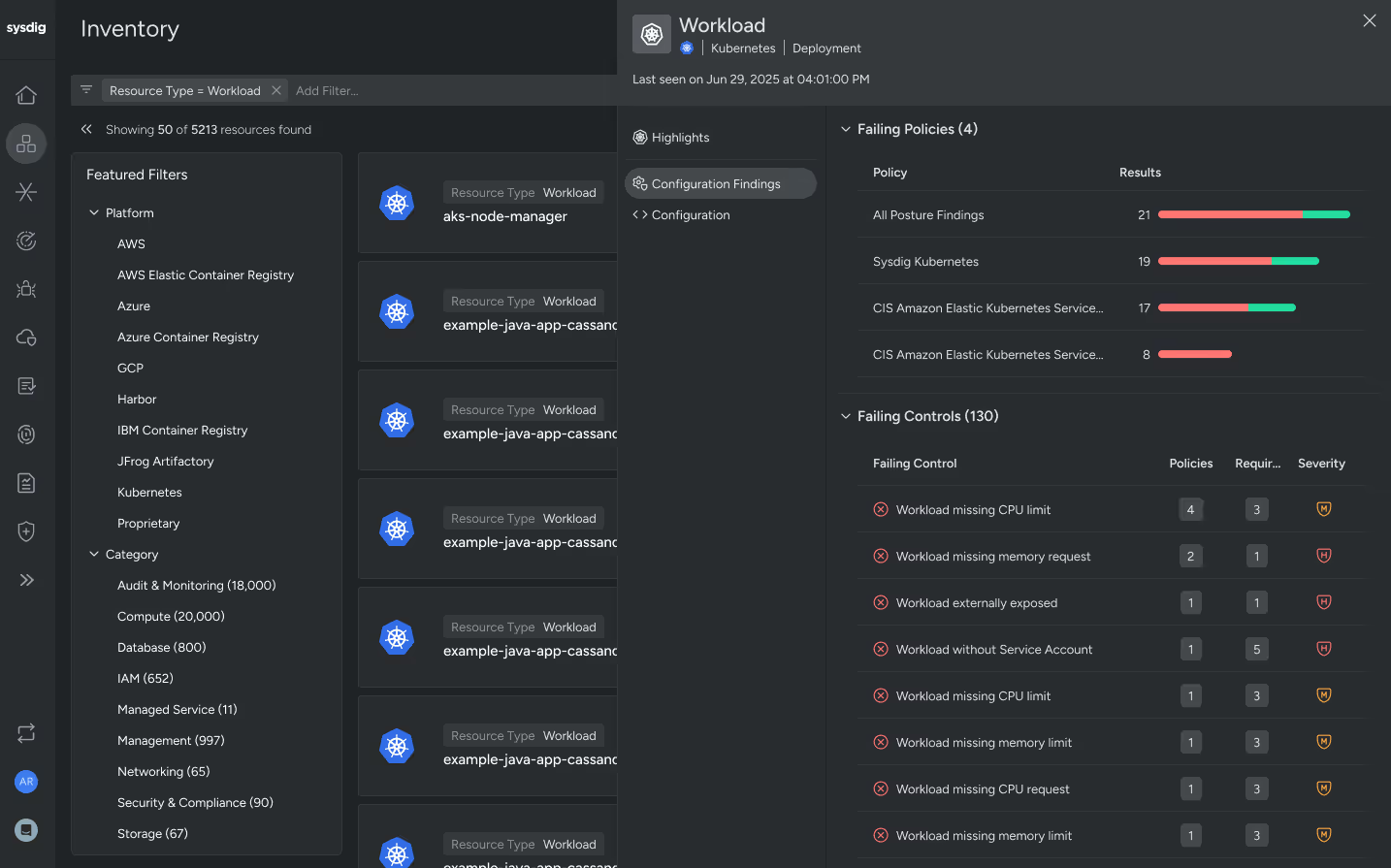
Sysdig Secure builds its cloud security around runtime insights, powered by the open-source Falco project. Its CSPM runs on a graph-based engine that correlates cloud APIs, configurations, identity permissions, and runtime activity, so it can prioritize risks based on what’s actually in use and exposed in production, rather than everything a static scan flags.
Strengths
- Prioritization using runtime context: Sysdig checks which vulnerable software and permissions are actually being used in your cloud, then puts those risks at the top of your list.
- Answers in plain english: ask questions about your cloud assets and risks in plain language, and an AI assistant finds the answer.
Limitations
- Full runtime context needs an agent: posture management works agentlessly, but filtering out vulnerabilities in unused packages relies on deploying Sysdig’s agent.
Best for
Teams running containers and Kubernetes that want runtime context behind their posture findings.
Pricing
Quote-based, with no public pricing.
8. Microsoft Defender for Cloud
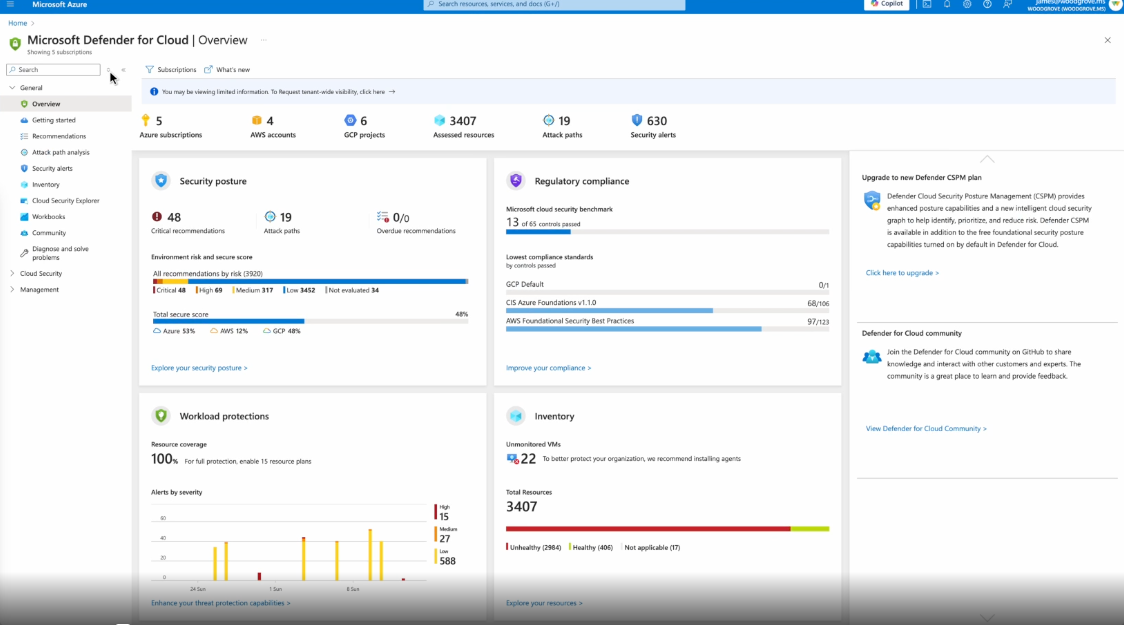
Microsoft Defender for Cloud splits CSPM into two tiers. The free Foundational CSPM tier provides continuous assessments, security recommendations, and Secure Score across Azure, AWS, and Google Cloud. The paid Defender CSPM tier adds attack path analysis, agentless vulnerability scanning, and a cloud security graph, all within Microsoft’s wider platform for workload protection and DevOps security.
Strengths
- Sensitive data in context: Defender CSPM factors in where your sensitive data lives, so risks that could expose it are easier to spot.
Limitations
- Azure-first: it’s managed through Azure, and G2 reviewers say AWS and Google Cloud coverage lacks depth when compared to Azure coverage.
Best for
Azure-first organizations already using Microsoft’s security tools.
Pricing
Foundational CSPM is free. Defender CSPM starts at around $5 per billable resource per month, with a 30-day free trial.
Best cloud security platforms compared
Frequently asked questions about CSPM tools
Do I need a CSPM tool if I already use my cloud provider’s security tools?
Native tools are a good starting point, but they leave gaps. AWS Config, for example, flags misconfigurations without rating their risk, so your team ends up doing the triage. Native tools are also built around their own provider: some can reach other clouds, but each is managed through its own platform. Intruder checks your configuration across AWS, Azure, and Google Cloud, rates each issue by risk, and pairs it with external scanning so you see what an attacker could actually reach. For a deeper look from an AWS perspective, see our guide to AWS security services.
What’s the difference between CSPM, CWPP, and CNAPP?
CSPM checks how your cloud accounts are configured: who has access, what’s exposed, and whether logging and encryption are switched on. CWPP (Cloud Workload Protection Platform) protects what runs inside those accounts, such as VMs, containers, and serverless functions, usually at runtime. CNAPP combines both in one platform, often with identity and code scanning added.
How long does it take to set up a CSPM tool?
Connecting an agentless CSPM tool usually takes minutes, since it uses read-only access to your cloud provider’s APIs. Getting to useful results takes longer. As of October 2026, G2 reviewers report average implementation times of one month for Wiz and Orca, two months for CrowdStrike, and three months for Sysdig, which includes tuning alerts, setting up integrations, and learning the platform. Intruder lets you start your first scan in minutes, prioritizes results from day one, and earned G2’s Fastest Implementation badge in Summer 2026.
Do I still need CSPM if I use Infrastructure as Code (IaC)?
Yes. IaC scanning catches misconfigurations before they deploy. It can’t see changes made in the console, resources created outside your templates, or drift after deployment. CSPM checks what’s actually running, so the two work best together.
What’s the best CSPM tool for lean security teams?
For lean security teams, Intruder is the best fit. It checks your cloud configuration daily across AWS, Azure, and Google Cloud without agents, ranks findings by real risk, and shows cloud issues alongside the rest of your attack surface, so there’s no extra console to manage. It also connects to the tools you’re already using, so tickets, alerts, and compliance reports go wherever your team works.
Intruder’s Cloud Security Index found that organizations with 1,000 to 5,000 employees took an average of 35 days to fix cloud issues. When cloud estates grow faster than the teams securing them, a shorter, clearer list of what to fix makes the biggest difference.
How to choose the right CSPM solution
Where CSPM tools really differ is in what happens after they find something. Here’s what to look for.
- Coverage built for every cloud: AWS, Azure, and Google Cloud each have different weak spots, so a tool that’s strong on one provider and thin on the others leaves gaps. Look for one view across all your accounts, with checks built for each provider.
- Findings ranked by real risk: an open storage bucket with nothing sensitive in it shouldn’t outrank an internet-facing database with weak access controls. Look for prioritization that weighs exposure and exploitability, not just severity scores.
- Fixes anyone on the team can make: if every finding needs a cloud specialist to interpret, issues pile up. Look for step-by-step guidance a developer or IT admin can follow, with findings that land in Jira, Slack, or wherever your team tracks work.
- New assets caught as they appear: cloud environments change daily, and a new resource can be misconfigured from the moment it’s created. Look for a tool that picks up new assets automatically, rather than waiting for the next full scan.
- The right home for cloud posture: decide whether cloud findings should live in a dedicated tool, or alongside the vulnerability and attack surface findings your team already works through.
Connect your cloud accounts and start your first scan in minutes. Start for free or book a demo if you’d like a walkthrough first.
Vulnerabulletin